
Dues Tracking Software: stop chasing payments
Tracking dues is not a list-keeping job, it is a collection job. Kendin Yönet creates the charge, matches the payment from the bank and reminds the unit that is late.
What is actually hard about tracking dues?
Most managers picture a spreadsheet when they think of dues tracking. But a spreadsheet only records who owes what; it does not collect the money, remind the unit that is late, or post a bank payment to the right row.
That is where the time goes: opening the statement and matching payments line by line, hunting for a receipt when someone says they already paid, and producing the debtor list by hand at month end.
Dues tracking software automates those three jobs. The charge is created each period, the bank movement is matched to the unit, and a reminder goes to whoever is late. What is left for the manager is handling exceptions.
What it does
Every step from creating the charge to collecting it.
Automatic charging
Define the rule once and the charge is created each period, flat, by share or by unit type.
Automatic bank matching
Payments are posted to the right unit based on amount and reference, so manual matching all but disappears.
Online card payment
Residents pay by card in the app and the balance closes immediately, with no branch visit or payment reference to write.
Automatic late reminders
A notification, SMS or email goes to the unit past its due date, so the manager does not have to ask and the relationship does not wear thin.
Late payment calculation
Compensation is applied automatically at the statutory rate based on days overdue, removing arithmetic errors.
Debtor list and collection rate
Who owes what and how collection is going, always current and ready before the general assembly.
Receipts and documents
A receipt is produced for every collection and sent to the resident; cash collection is recorded the same way.
Ready breakdown for enforcement
If proceedings become necessary, a period-by-period breakdown of the debt is available.
How dues tracking runs
Once set up, the cycle keeps itself going.
- 1
Define the dues rule
Amount, due date and calculation method are entered, including different amounts by unit type if needed.
- 2
The system creates the charge
At the start of each period charges are generated automatically and reflected to residents.
- 3
Payment matches from the bank
Whether the resident pays by transfer or by card in the app, the payment posts to the unit and closes the balance.
- 4
Late payers are reminded
Once the due date passes a notification goes out and compensation starts to apply. The manager only handles exceptions.
Who benefits?
Anyone who has to chase collection.
Properties with low collection rates
Automatic reminders and online payment are the two things that reduce lateness most, and they take the personal chasing off the manager.
Buildings collecting in cash
Cash collection is recorded and receipted, so no payment stays off the books.
Management companies
Seeing collection across several projects on one screen makes problems visible early.
Dues screens
From charge to collection.
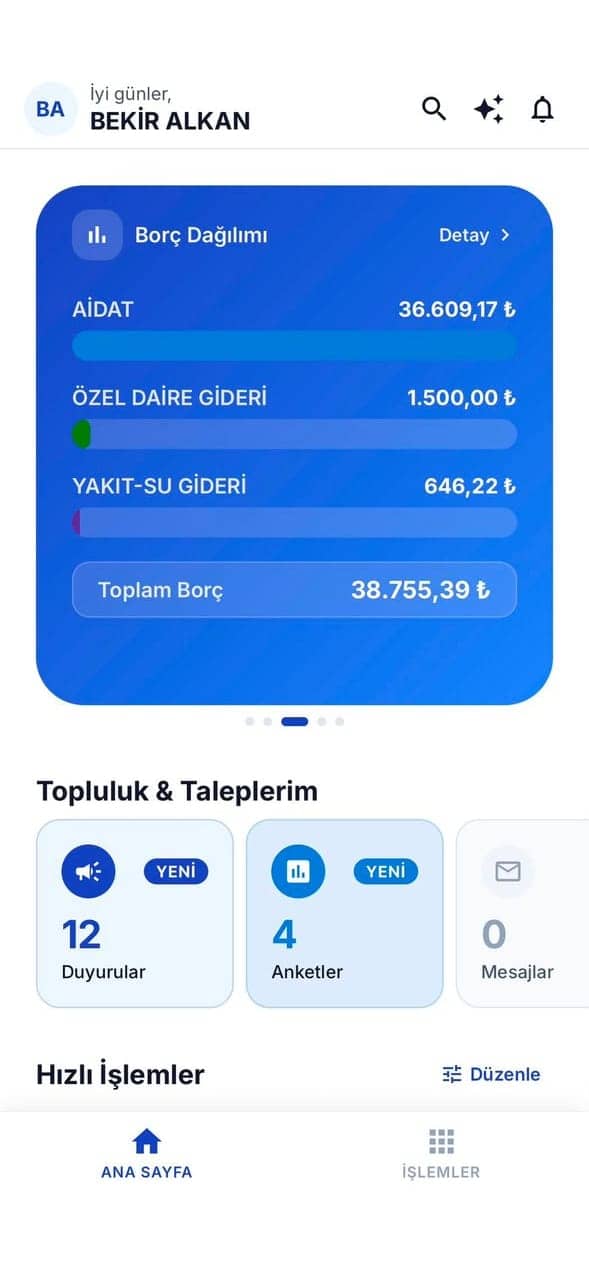
Debt breakdown
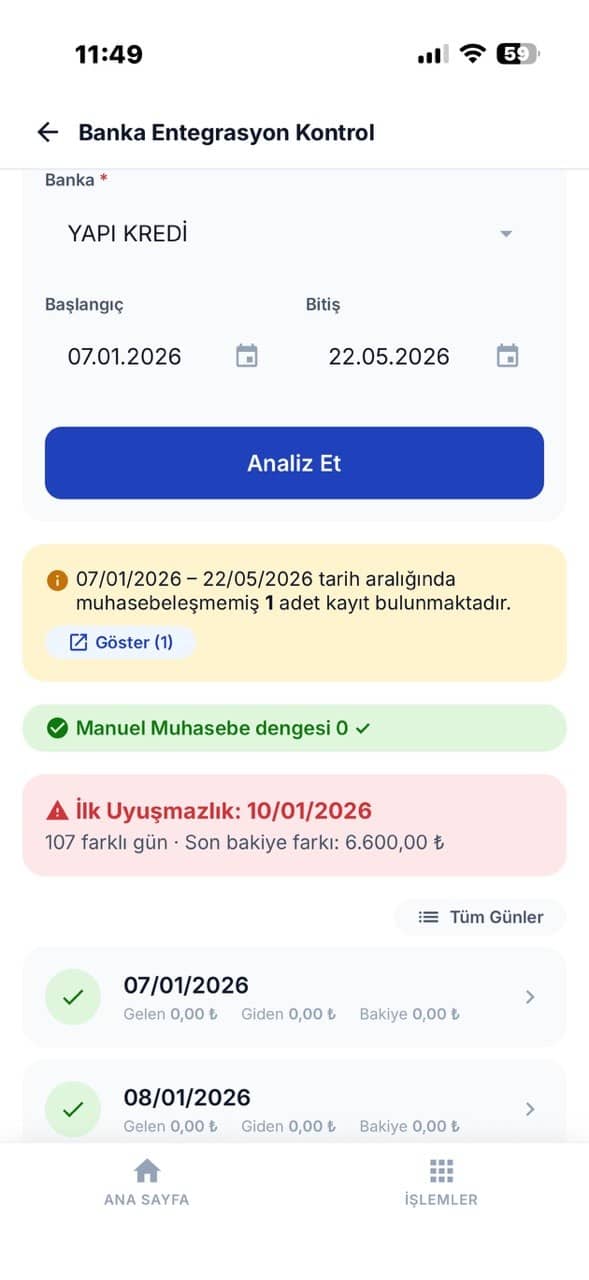
Bank control
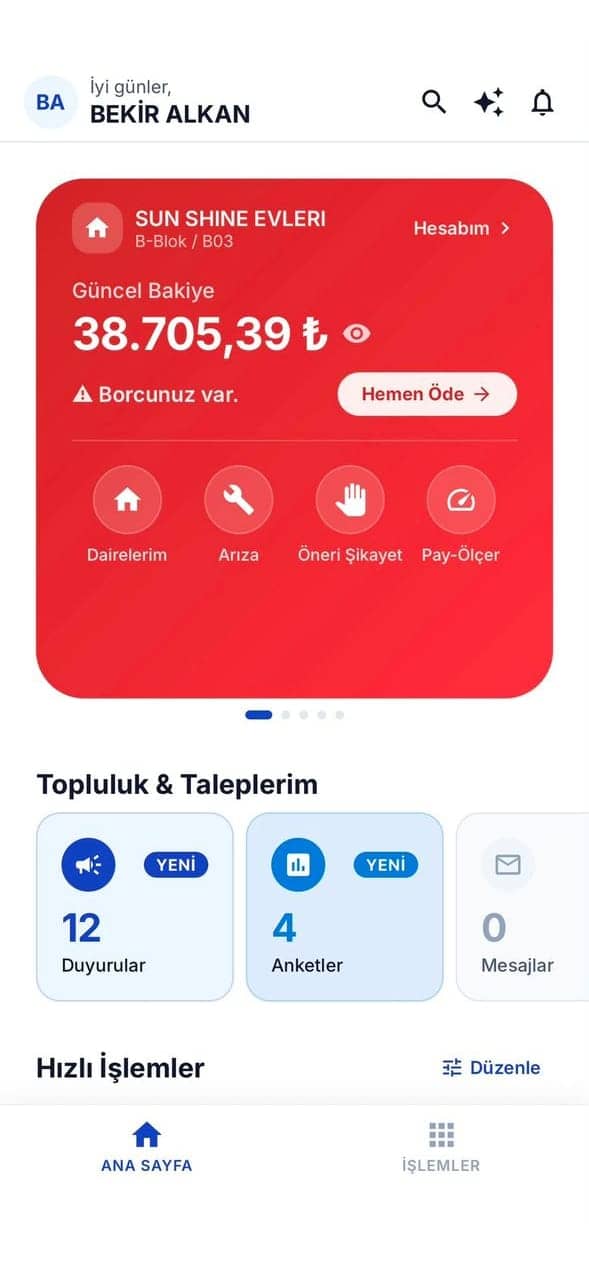
Resident balance
Frequently asked questions
Let the software
chase the dues.
Tell us how many units you have and we will set up your collection process together.
Try Free for 30 Days or give us a call: 0224 443 57 07